> For the complete documentation index, see [llms.txt](https://help.sentinelsoftware.com/sentinel-help-center/llms.txt). Markdown versions of documentation pages are available by appending `.md` to page URLs; this page is available as [Markdown](https://help.sentinelsoftware.com/sentinel-help-center/settings/security-logging.md).
# Security Logging
Settings - Security Log
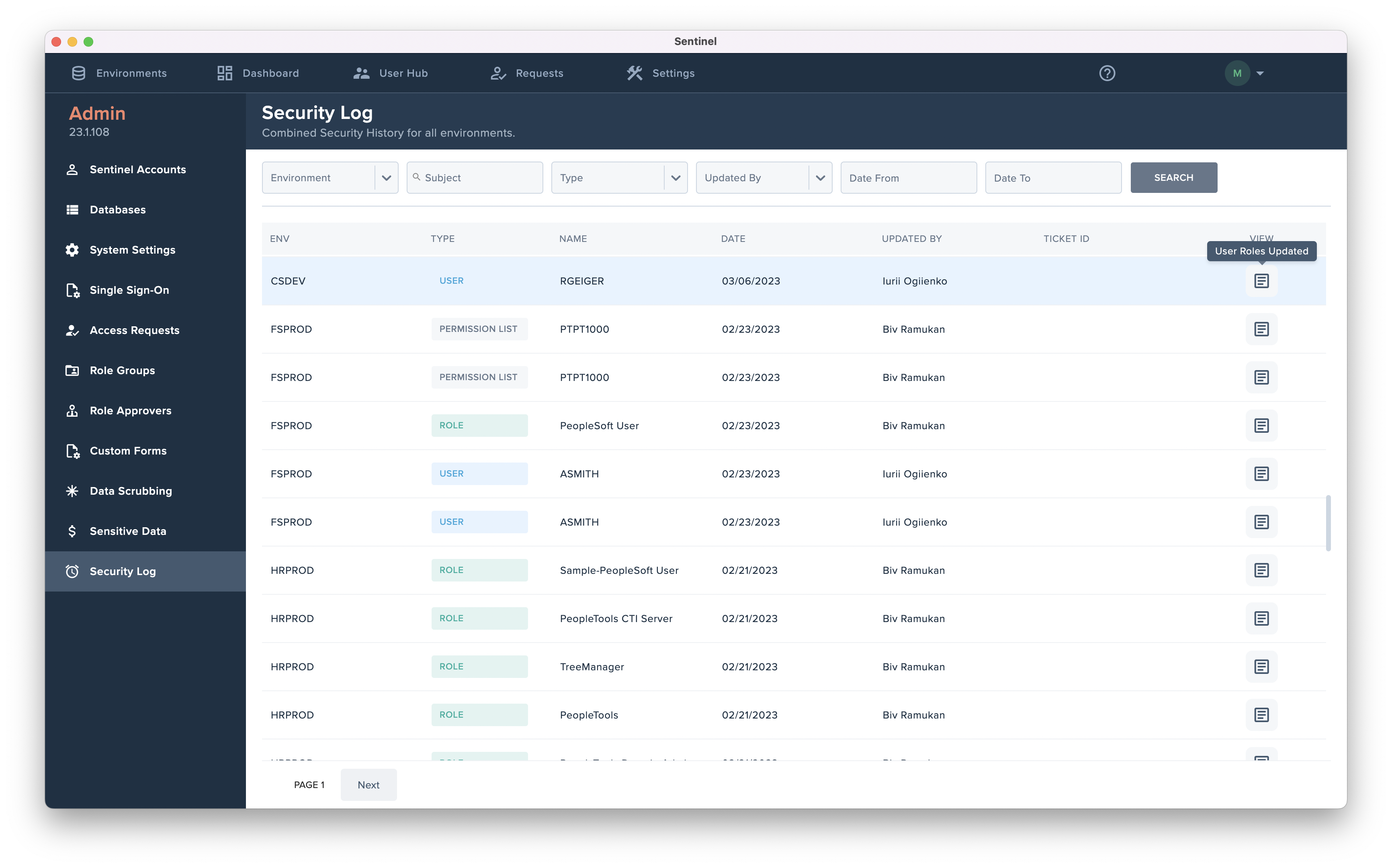
The Security Log is a centralized record of security and authorization events across all PeopleSoft environments connected to Sentinel. It provides robust search and filtering capabilities, enabling authorized users to quickly locate, review, and retrieve security-related information for monitoring, audit, and investigation purposes.
### Security Logging, Monitoring, and SIEM Integration
Sentinel provides a centralized Security Log that records security-related and authorization events across all connected PeopleSoft environments. Logged events include, but are not limited to:
* User and administrator logins and login failures
* Access denials and authorization failures
* Security role and permission changes
* User provisioning, de-provisioning, and modifications
* Configuration and security updates accepted or rejected
The Security Log includes robust search and filtering capabilities, enabling authorized users to quickly locate, review, and retrieve security events for investigation, audit, or compliance purposes.
### Requirements to implement logging and monitoring
To enable logging and monitoring, the following are required:
* Sentinel application access with appropriate administrative permissions
* Connectivity between Sentinel and the client’s PeopleSoft environments
* Client-defined role assignments determining who may view or export security logs
* Client-managed infrastructure logging (e.g., OS, database, network logs), which remains the client’s responsibility
Sentinel does not require access to client operating systems or databases to capture application-level security events.
### SIEM / log collector usage
Sentinel supports integration with external SIEM or log collection platforms by allowing security log data to be:
* Exported
* Queried
* Forwarded via standard mechanisms (e.g., API or scheduled extraction), depending on client configuration
This enables organizations to correlate Sentinel security events with enterprise-wide logs from identity providers, databases, and infrastructure systems for centralized monitoring and threat detection.
Automatic Sentinel Updates
Sentinel has auto-provisioning & de-provisioning features for Access Requests, Dynamic Security, and Temporary Access. The *'Updated By'* field will show the following when changes are applied automatically:
* **SENTINEL\_AR\_AUTO -** If security changes for an Access Request are applied automatically via auto-provisioning.
* **SENTINEL\_JOB\_# -** If security changes are applied automatically for a Dynamic Role Assignment.
* **SENTINEL\_TEMP\_JOB\_#** - If security changes are applied automatically for a Temporary Access Job.